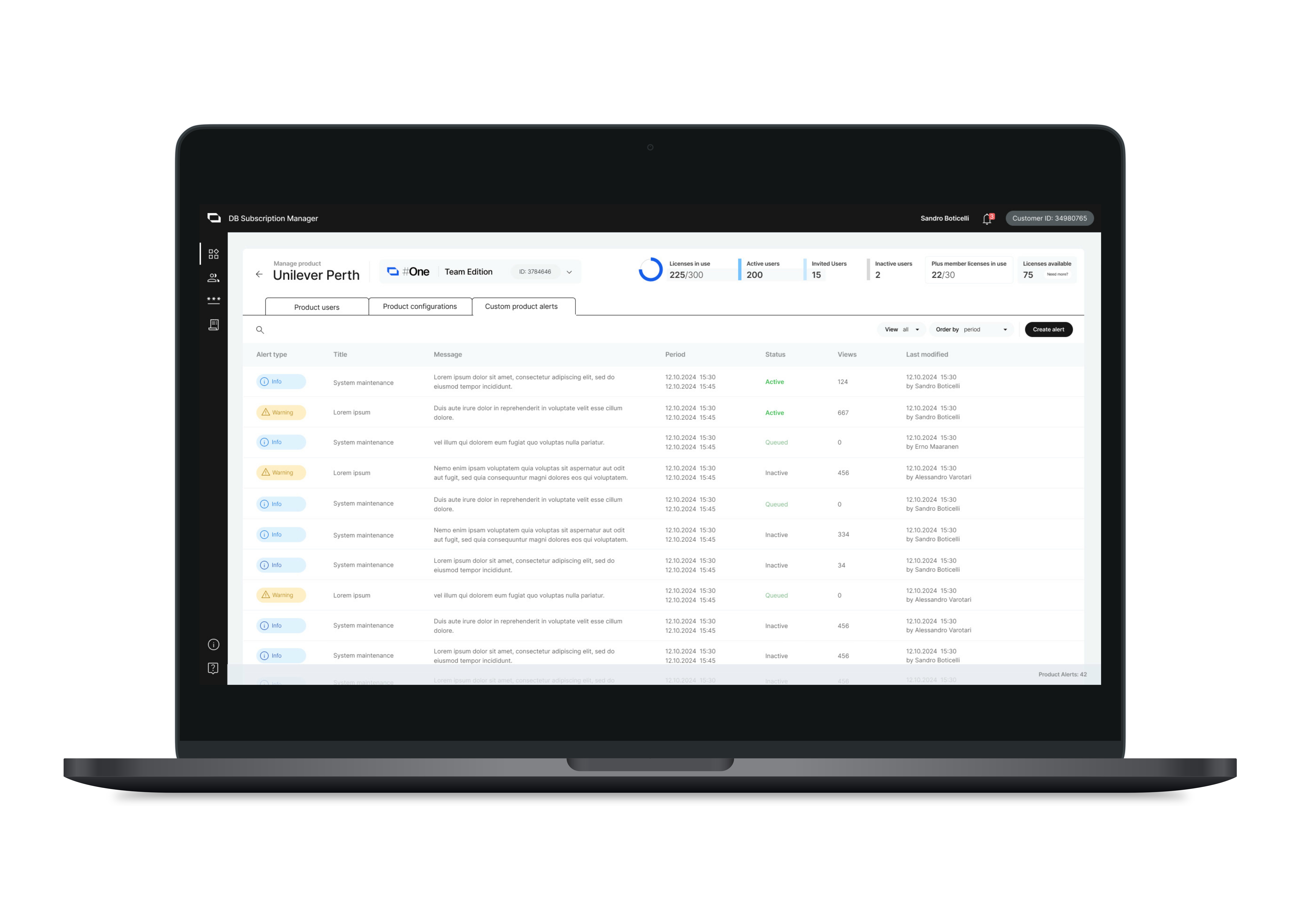
Dream Broker's Customer Identity and Access Management System (CIAM)
Buidling Customer Identity and Access Management System for SaaS product family
Role
UX designer (Project management, Workshop, Research, User flow, Wireframes, Documentation)
Sector
Applications and software
Team
2 UX designers, 1 Visual designer, 1 Product owner, 2 Front-end developers, 3 Back-end developers
Overview
Customer Identity and Access Management System (CIAM) system consolidates all Dream Broker's Enterprise products into one central hub. It serves as the main hub for customer management, allowing users access to their profiles and the ability to manage subscriptions and user licenses.
The challenge
Dream Broker is a SaaS company that provides business communication solutions. It has been developing digital products in both B2B and B2C segments, each at different stages of the product development life cycle. The company faces issues with fragmented customer data across multiple products, resulting in security risks and a lack of insights into customer behavior. As a European-standards compliance company that prides itself on security in business communication, Dream Broker must address these challenges.
The solution
The company has decided to develop a Customer Identity and Access Management (CIAM) system to unify all its enterprise products into a single central hub for customer management.
The CIAM system features a customer-facing interface, a web store where customers can directly purchase product subscriptions instead of relying on traditional sales representatives, and a Subscription Manager Console for administrators. This console allows admins to manage subscriptions, configure products, and oversee user roles within their organizations.
Result
Dream Broker launched their first online store to support the traditional sales team and implement a subscription management system for clients.
My role and contributions to this project include:
As the main UX designer, I managed the project from design kick-off to discovery, all the way to development, ensuring we delivered the final design within the given timeline and resources.
I organized collaborative workshops with cross-functional teams and main stakeholders to share knowledge and align project understandings.
As the project workload increased over time, we hired and onboarded more designers to share design tasks like creating wireframes, hi-fidelity prototypes, and managing the in-house design system.
I coordinated the design vision, documented the project to report to stakeholders, and provided support to the development team throughout the entire process.
See case slide
Research
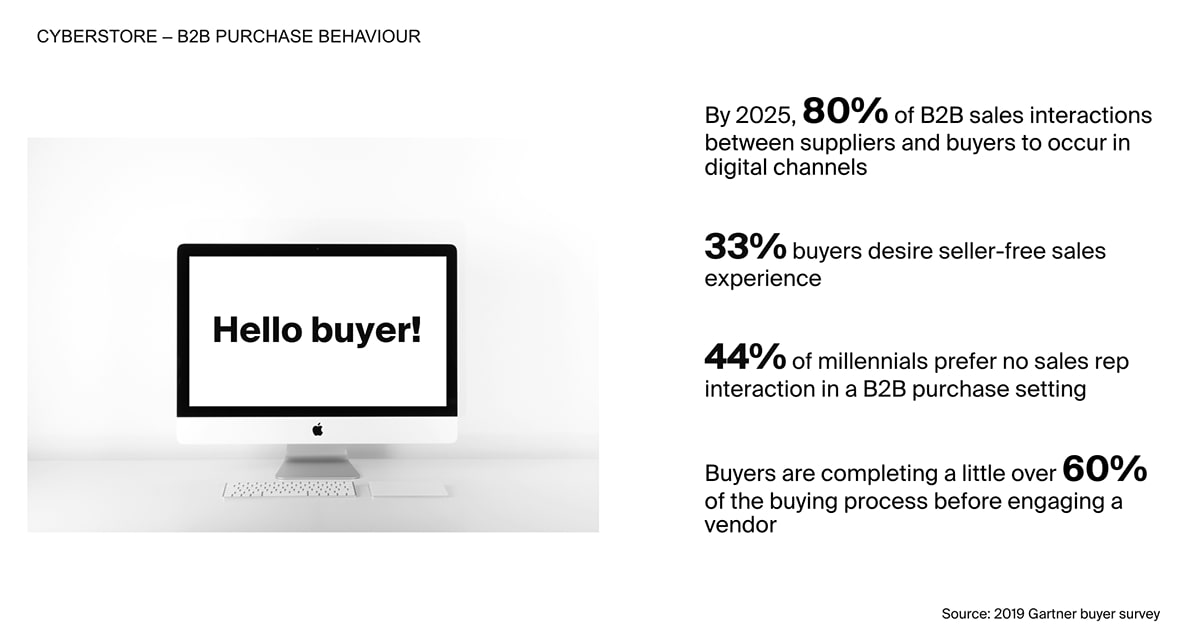
To identify user needs, we first need to understand who is in charge of purchasing software solutions in organizations and their purchasing behavior. Initial research was conducted using secondary data from the SaaS industry surveyed by Gartner, as depicted below.
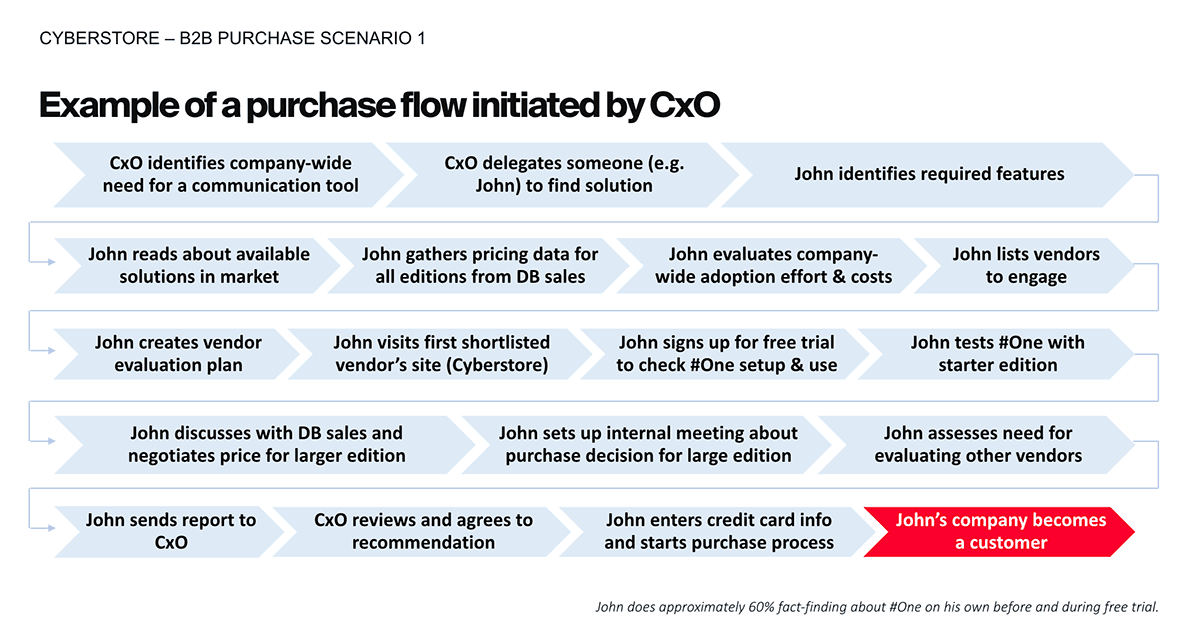
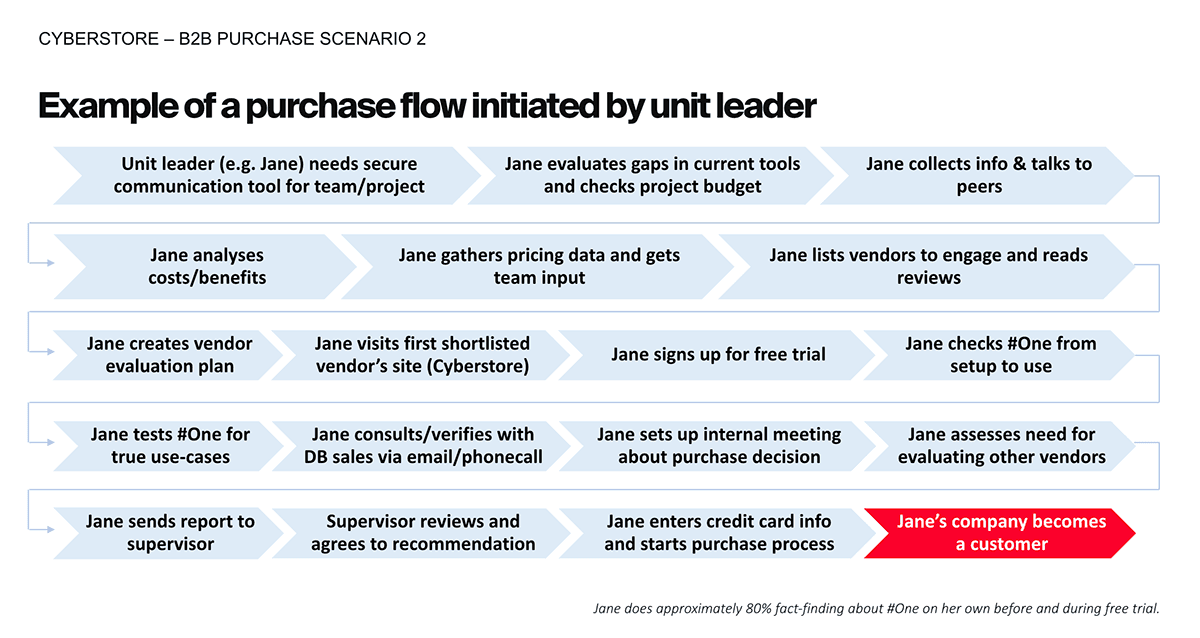
We found that CxO and unit leaders often need new software solutions for their organizations or teams. Therefore, we conducted interviews with existing clients and mapped their software purchasing processes as a result.
Define
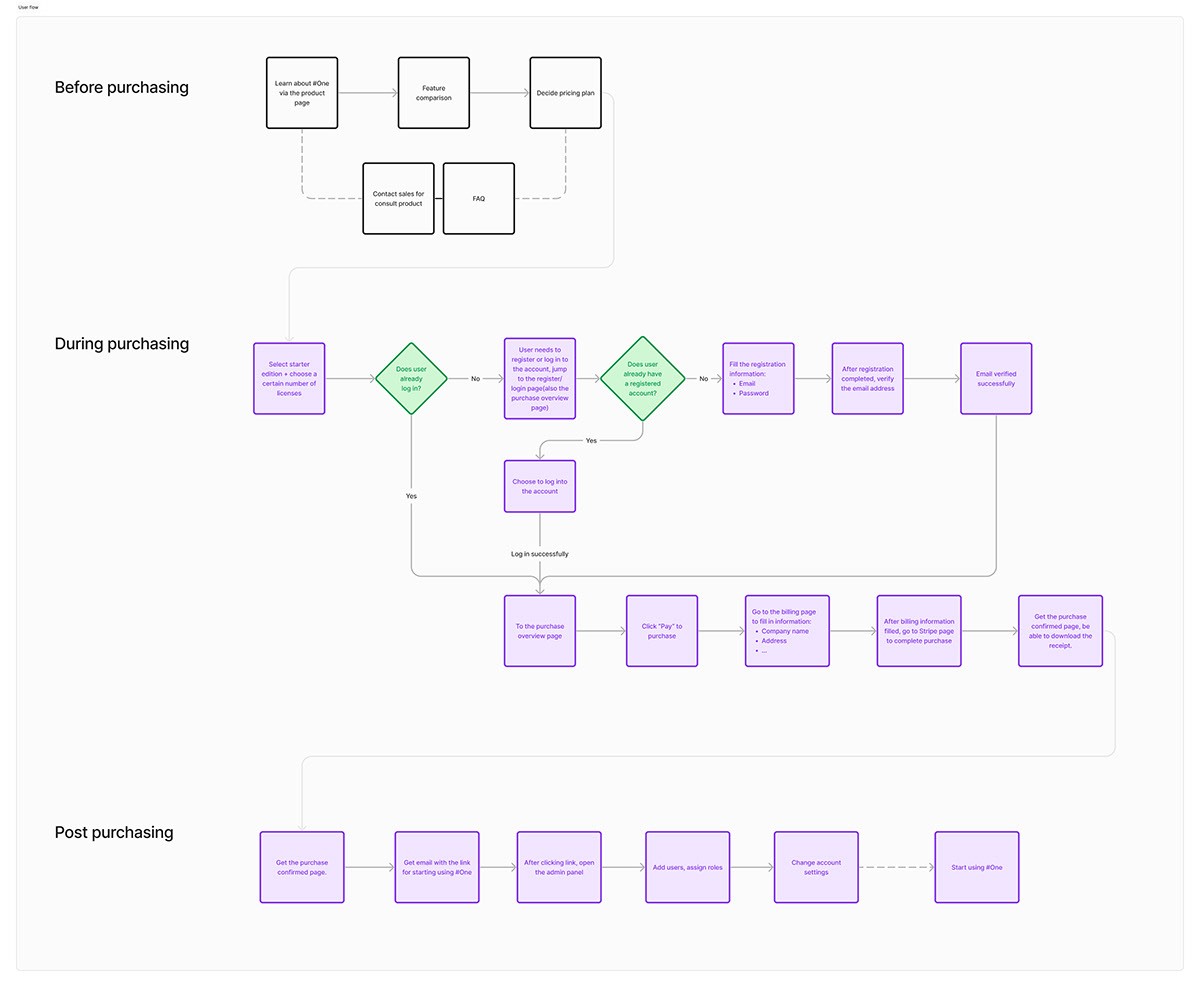
We translated the purchasing flows into User Flow, devided into three stages including Before purchasing, During purchasing, and After purchasing. Below is the map of the user actions during these stages.
Design
Web Store
First, we design the web store interface, where users can purchase products. After completing a purchase, customers are directed to the admin console, where they can manage their product licensing and organization structure.
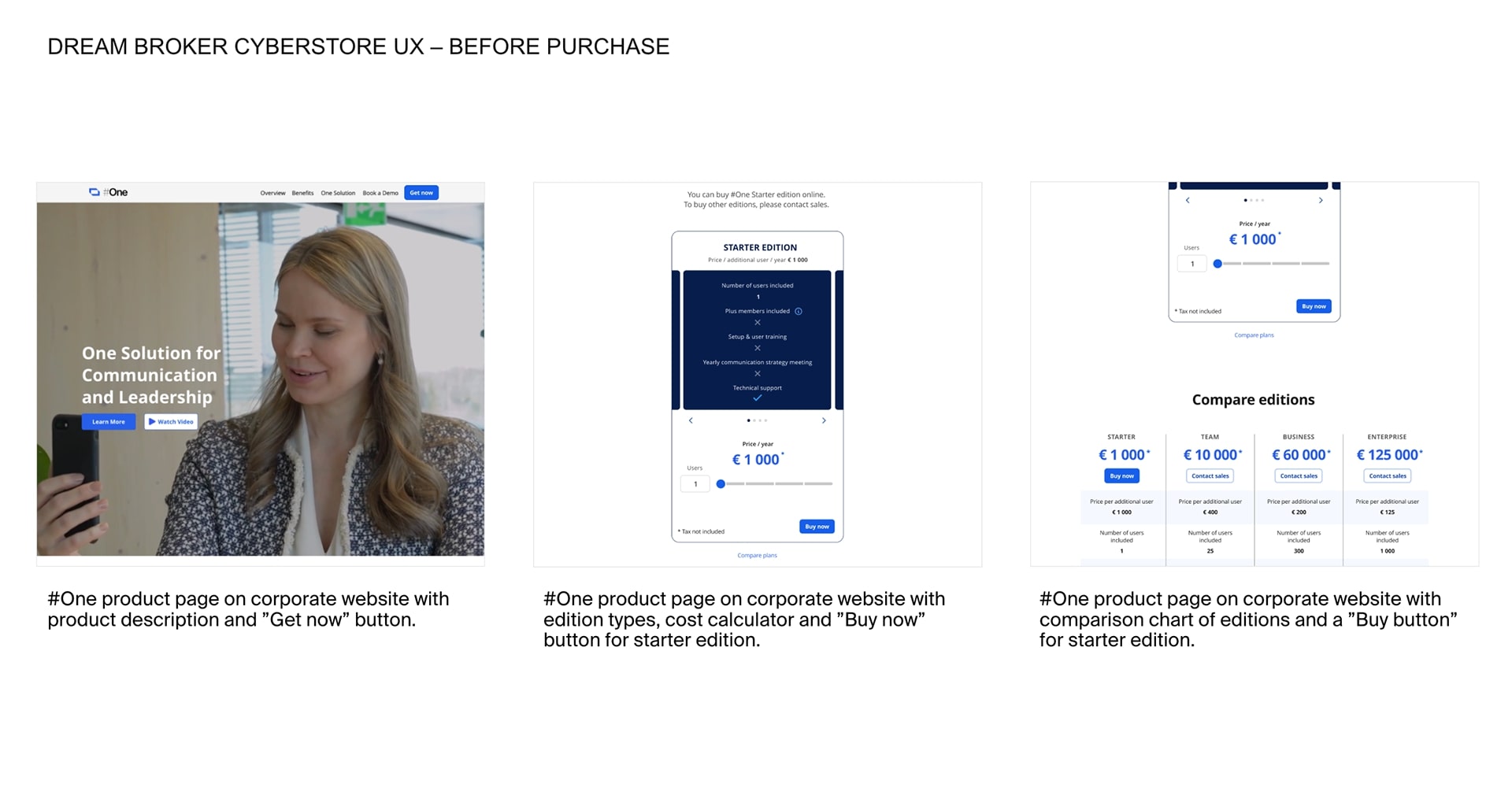
Before making a purchase, Users can browse the web store to view pricing and features, select their desired product, and specify the number of licenses needed.
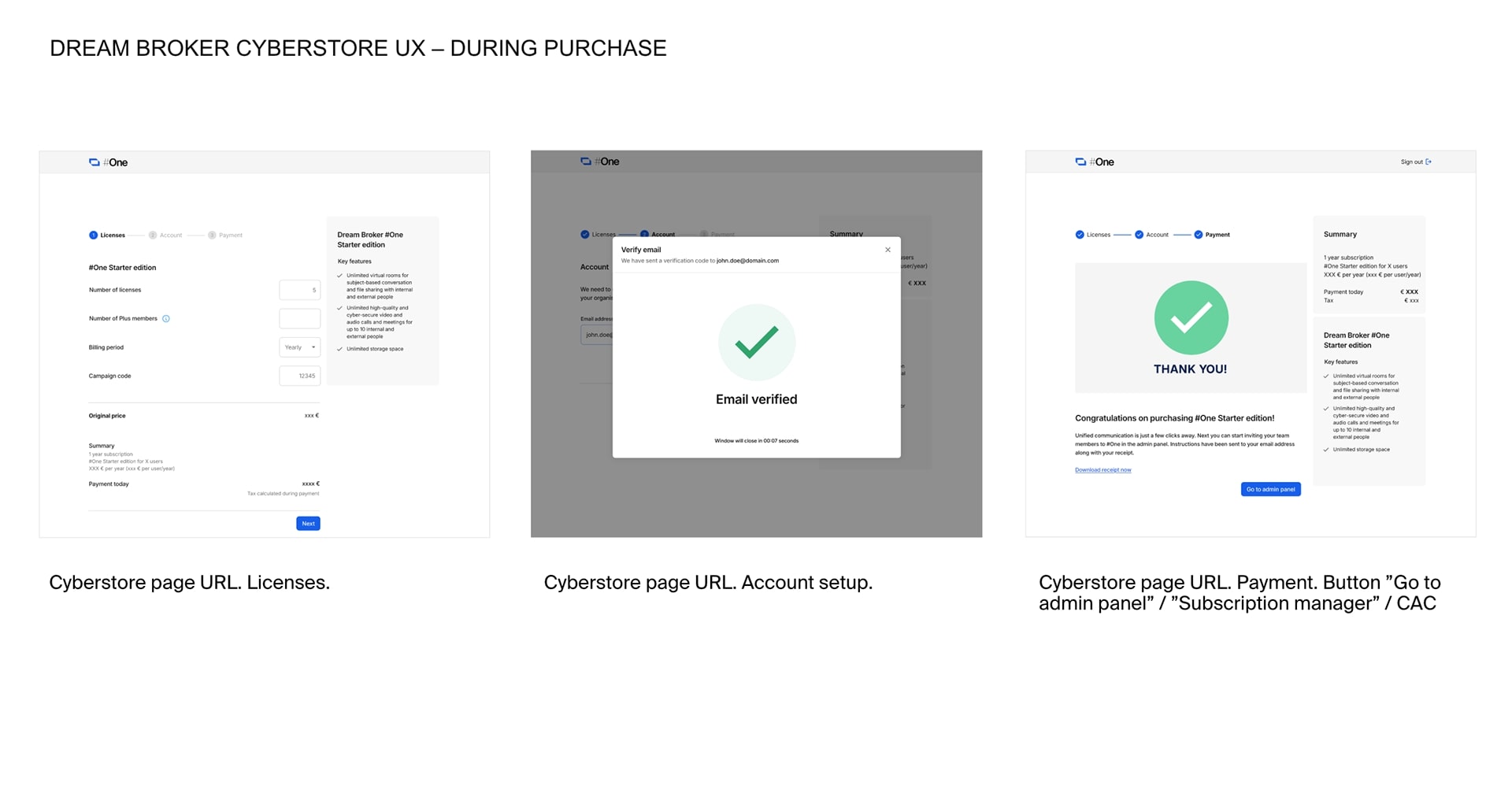
During the purchasing process: users can either create a new Dream Broker account or log in to their existing account before confirming their secure payment through Stripe.
After purchasing product: Once the product licenses are finalized and the purchase is confirmed, the user receives a confirmation (via email and on the webstore) and is taken to the customer admin console.
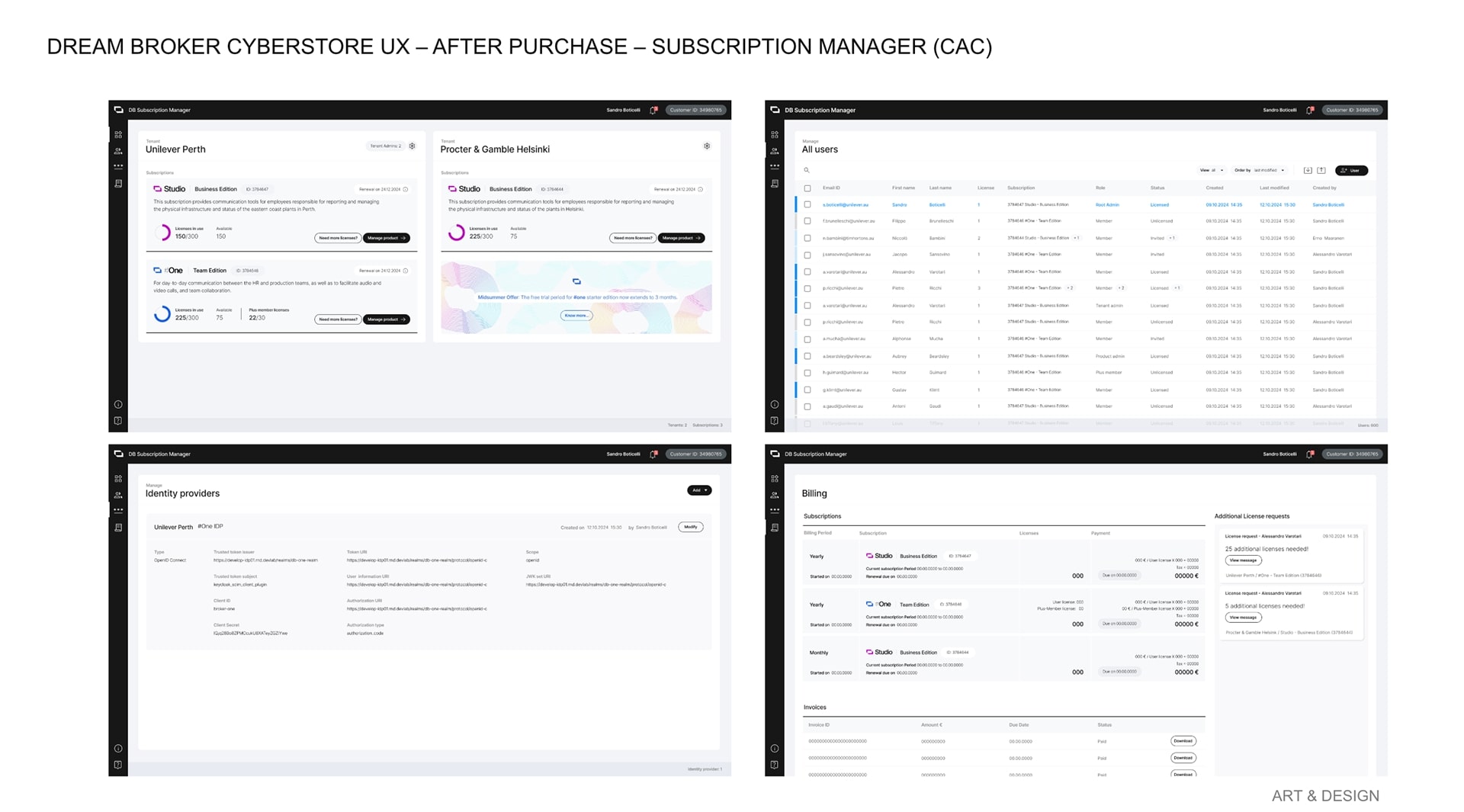
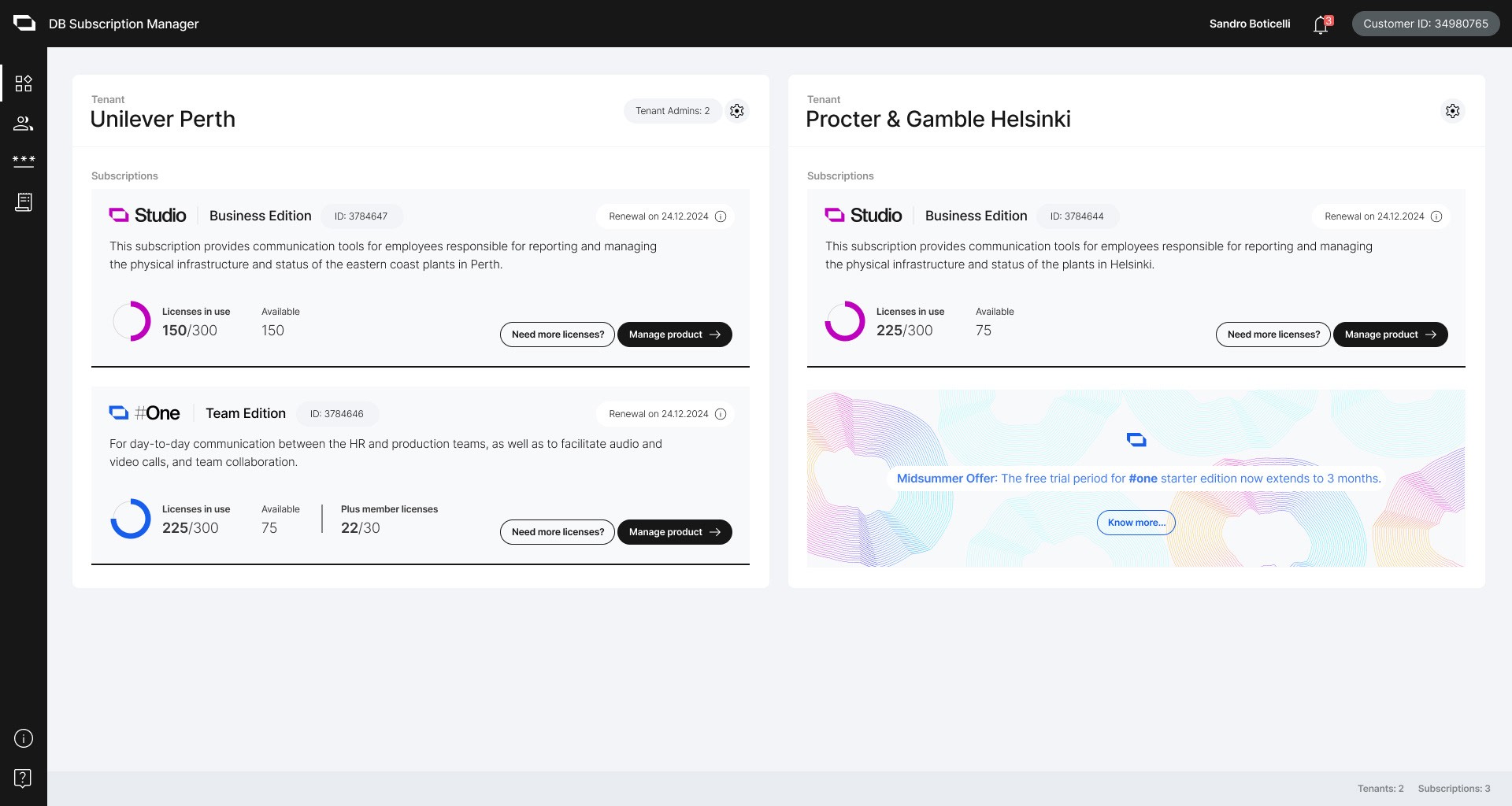
Subscription Manager
Root admin homeview
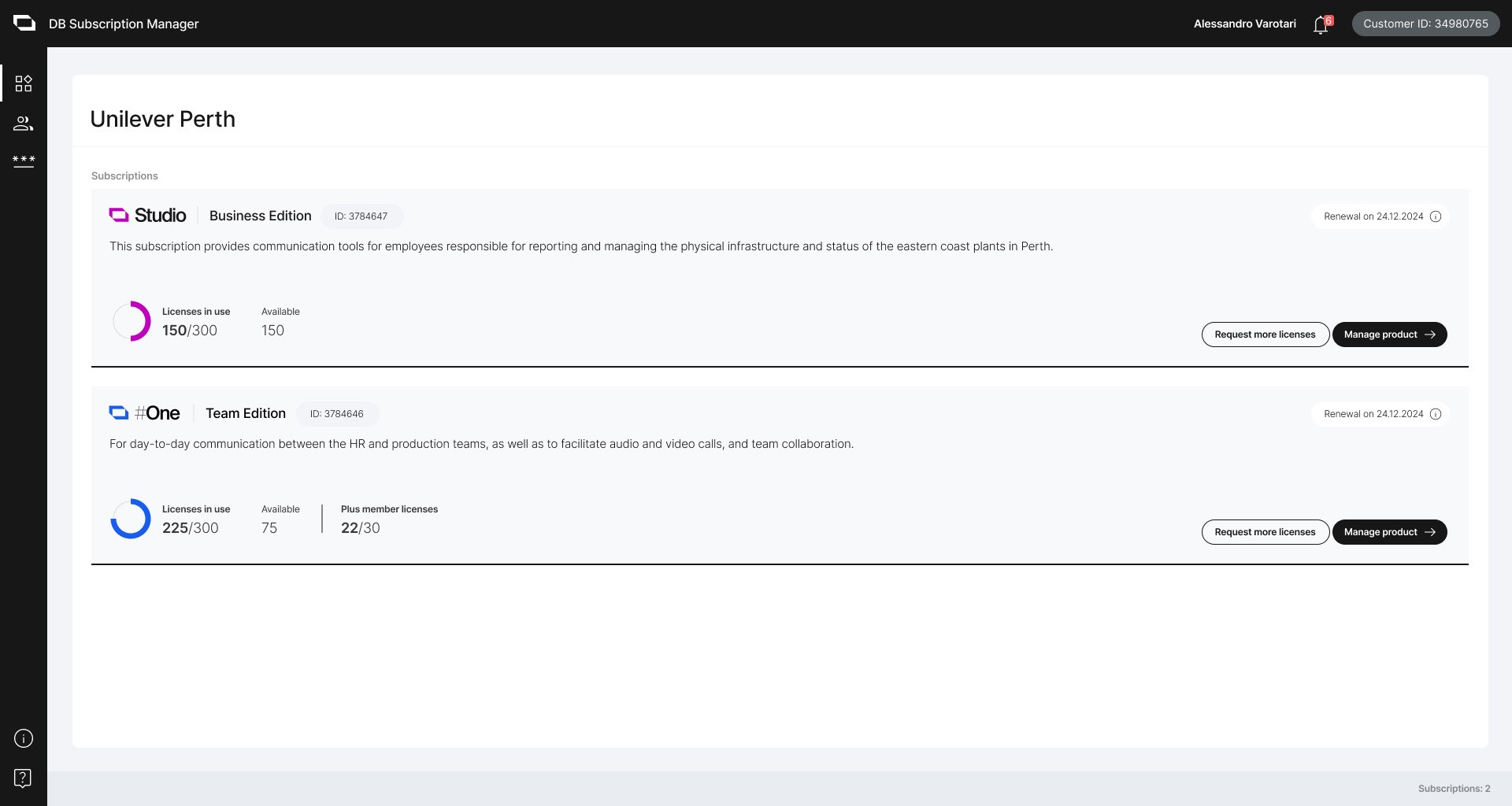
Tenant admin homeview
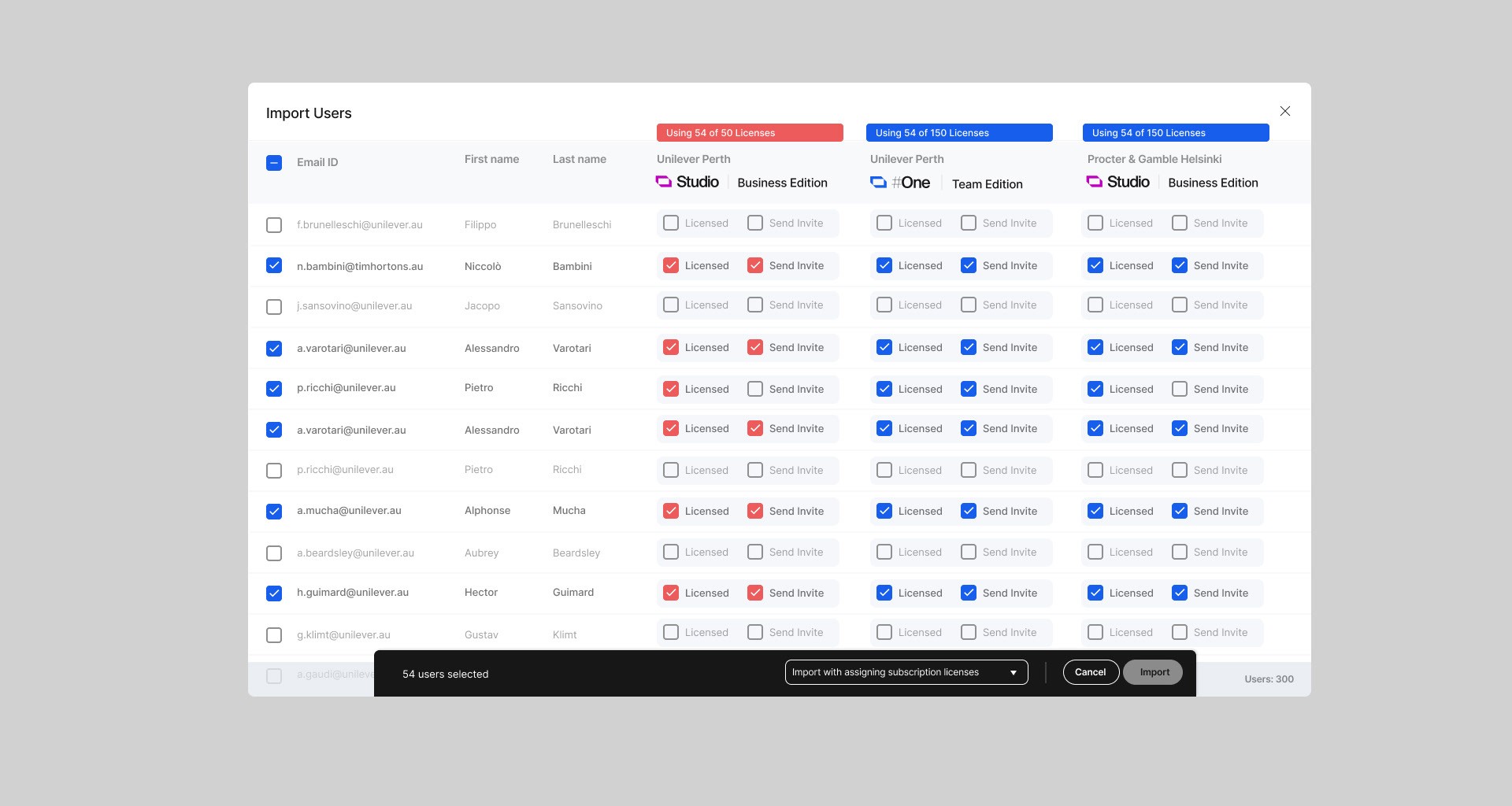
Import users: Assigning User Licenses
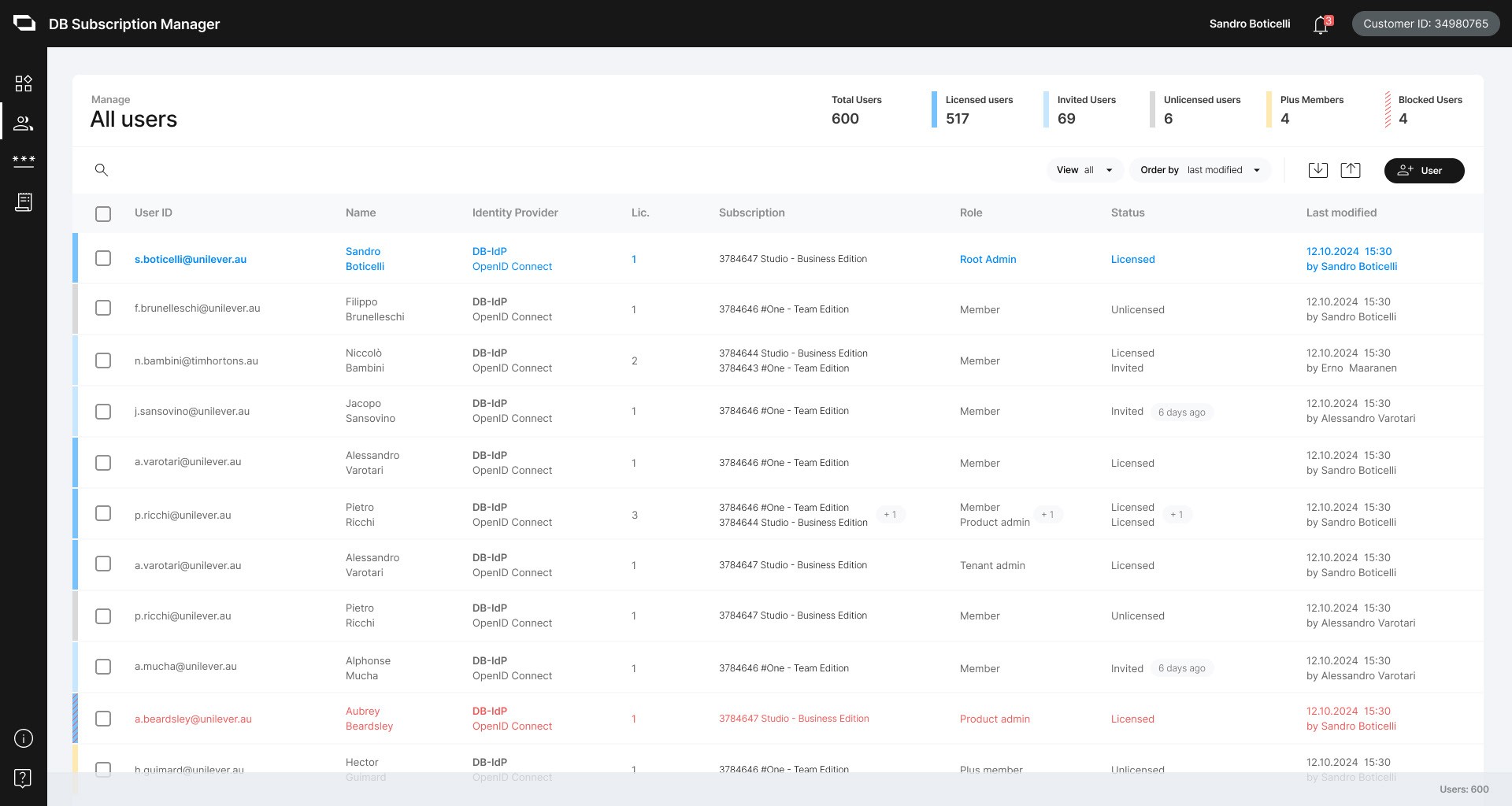
All users
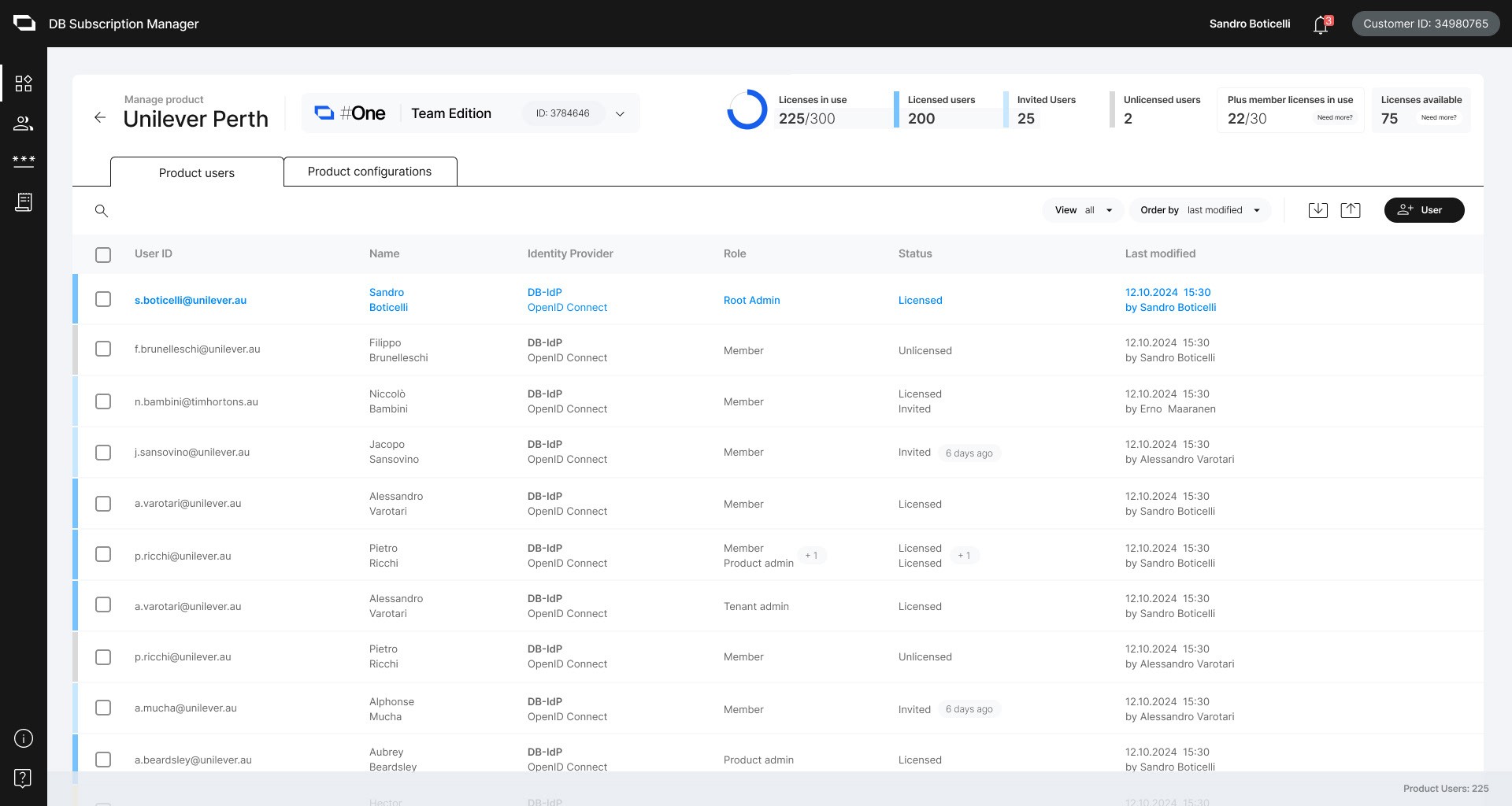
Product Users
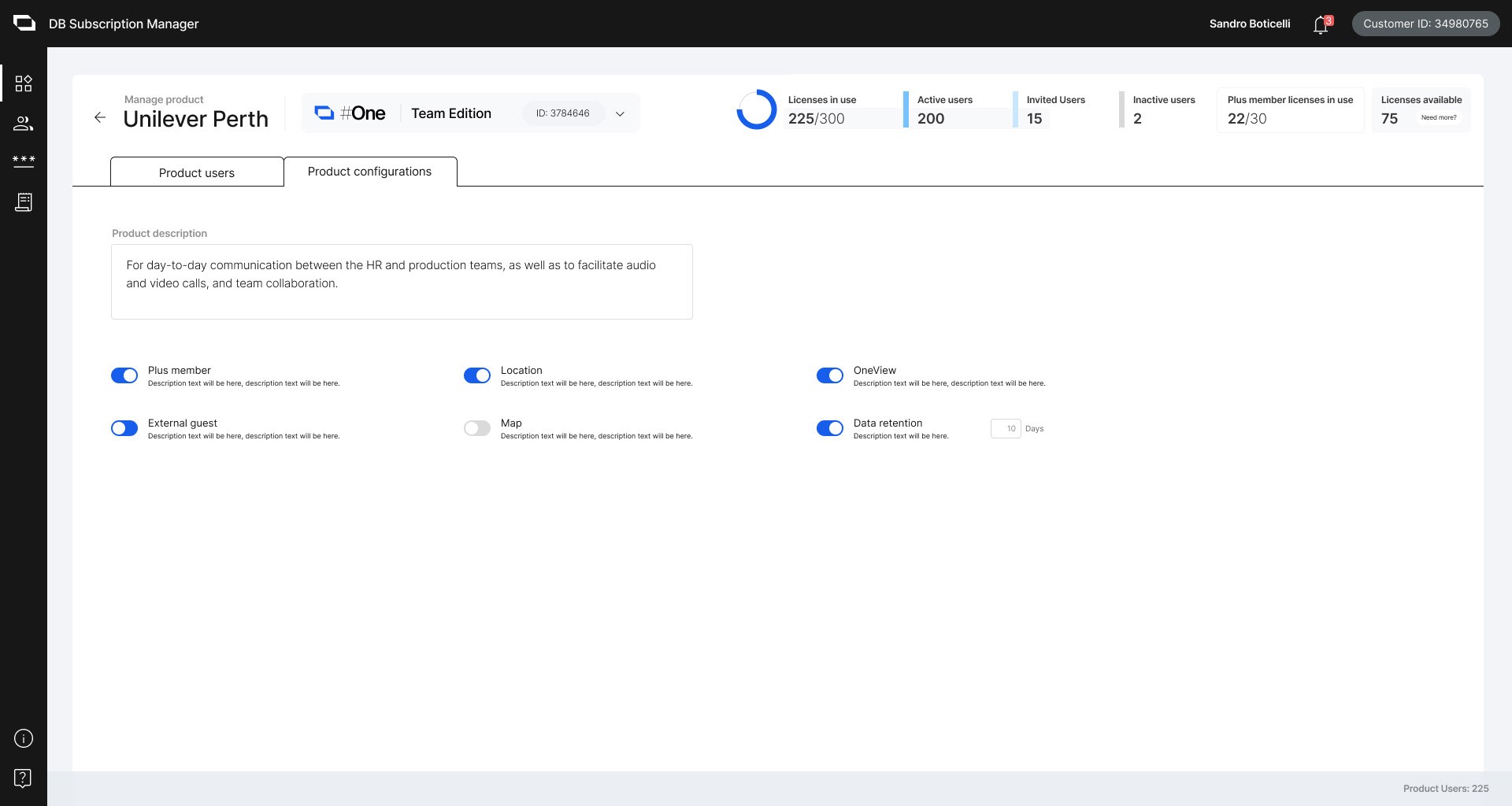
Product Configuration
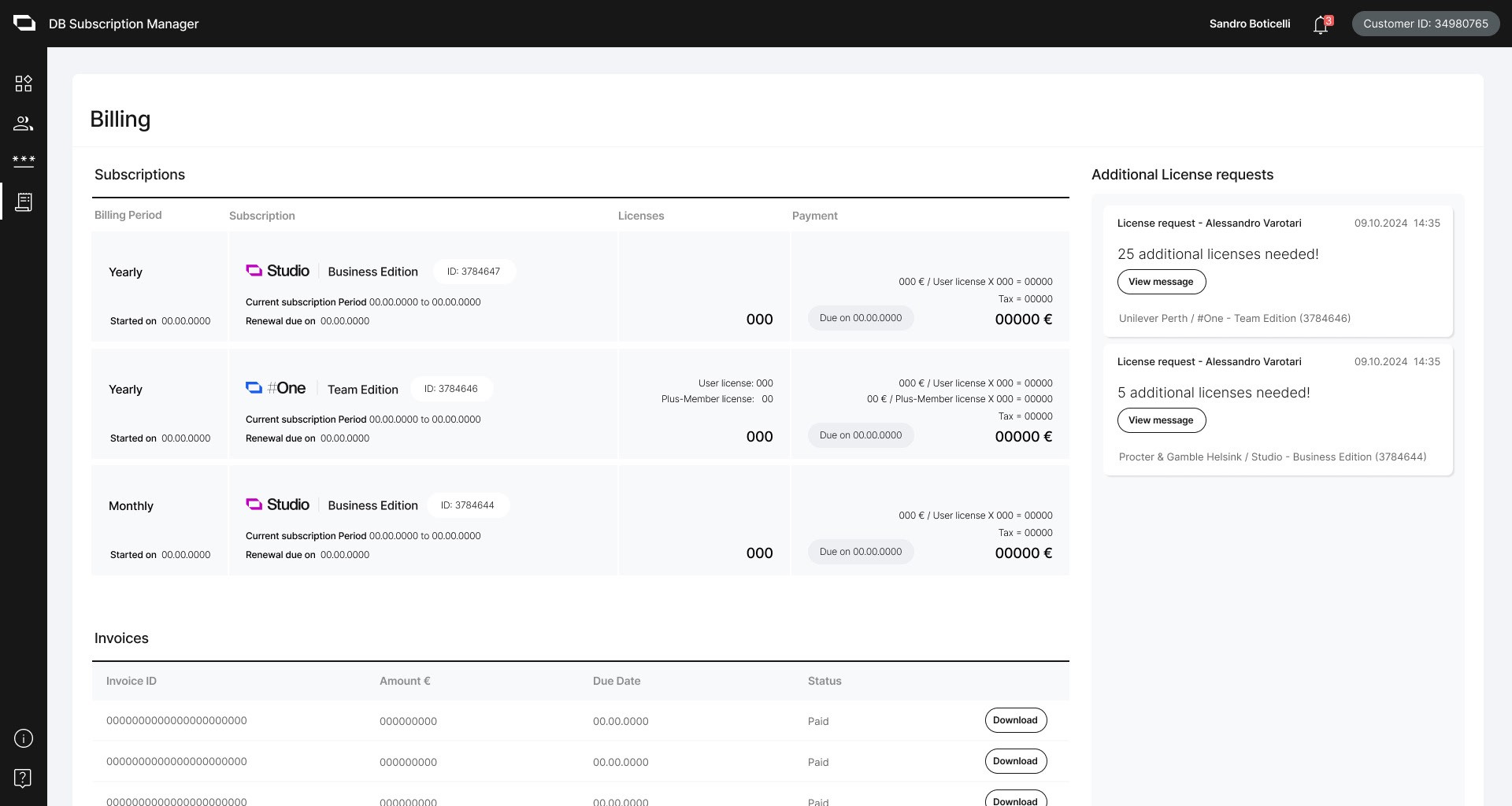
Manage Billing
Develop
We conducted usability testing with our target users and made iterative improvements based on their feedback. We also reviewed every version with key stakeholders. The iterations were carried out simultaneously with the development team to ensure that the changes remained up-to-date. This approach was necessary due to time constraints on the project, as we aimed to complete the web store and subscription manager quickly to start selling the products.
Conclusion
The project successed within its given timeline and resources. Throughout this project, I learned about:
Cross-functional teamwork ensures that business goals and user needs align
Keep in mind designing for scalability and security compliance
SaaS product ecosystem and CIAM as a centralized system for an enterprise product family.